Event operating system

Everything
Happens on Cue.

Websites, tickets, guests, and check-in in one connected workspace, so your event runs as a system, not a stack of tools.

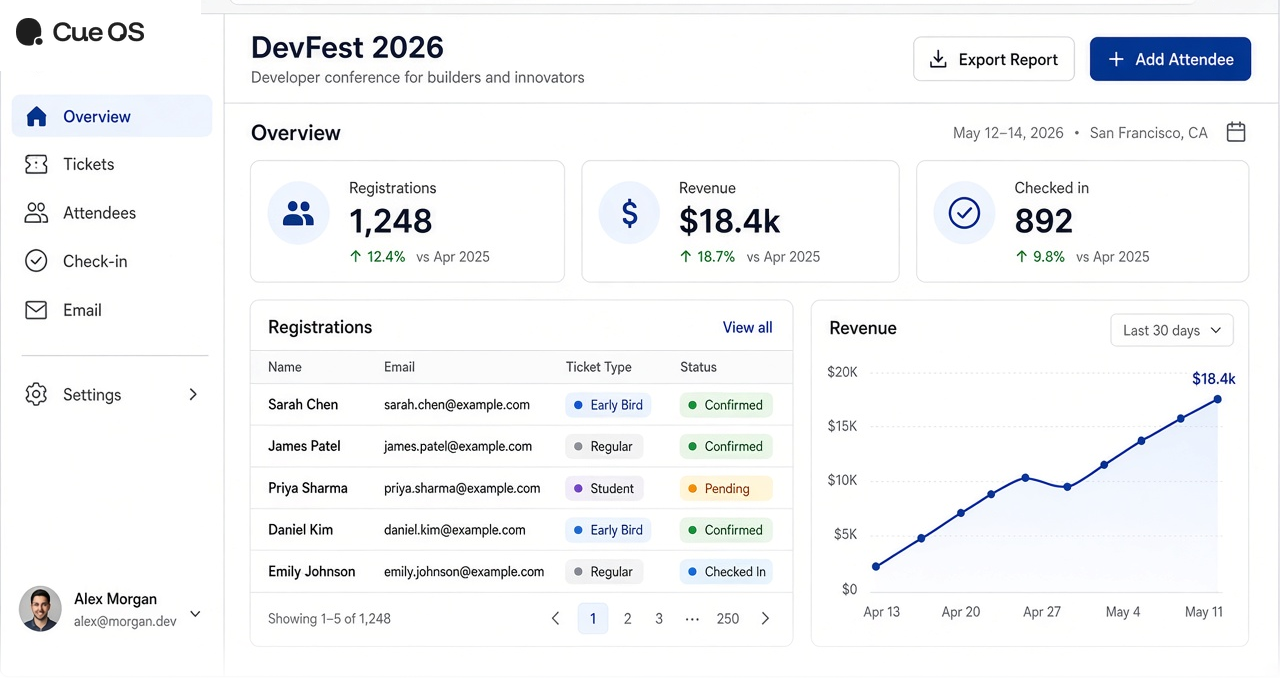
Cue OS organizer dashboard

WebsitesTicketingPaymentsFormsCheck-inEmailAttendee CRM

Platform

One system for the whole event

Plan, sell, and run check-in from the same workspace — public page to door scan, without jumping between tools.

  1. Cue OS public event page

    Schedule & publish

    Agenda, speakers, and venue on a branded public page.
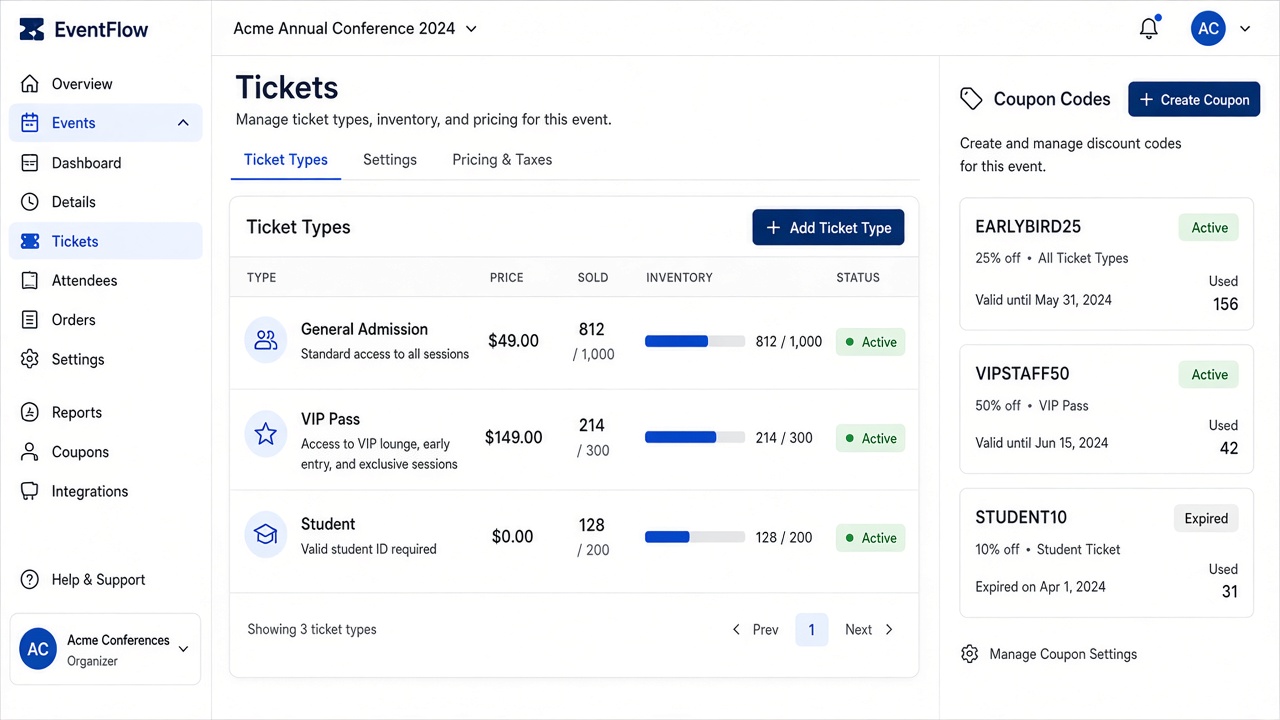
  2. Cue OS ticket types and inventory

    Sell & manage guests

    Tickets, waitlists, and attendee records stay connected.
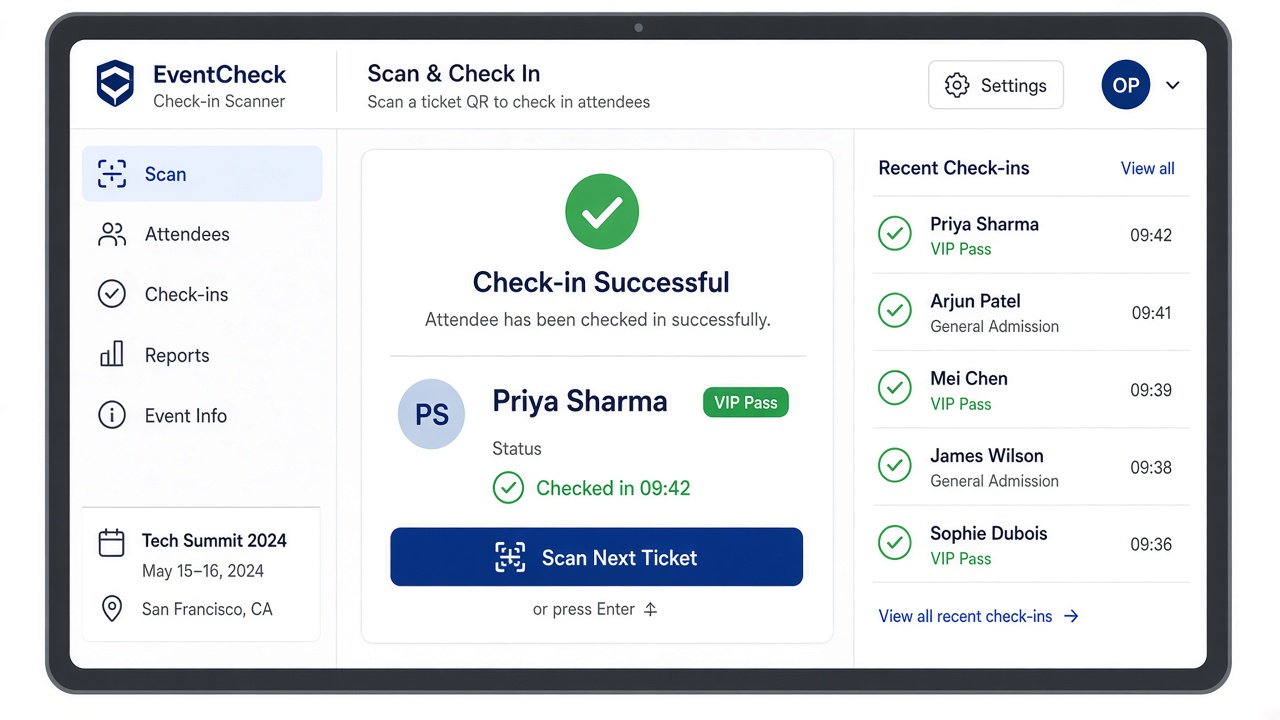
  3. Cue OS check-in confirmation

    Run the day

    Door scan, add-ons, and live status from one workspace.

Take control

Take control of your events with ease

One workspace for planning, selling, and day-of ops — designed to feel light and clear.

Stay on schedule

Agenda that stays clear

Track progress

See what’s selling in real time

Upcoming

CityTech Summit

Oct 12 · 240 registered

View details

Public site

A branded page for every event

Agenda, speakers, venue, FAQ, and registration — on your subdomain or custom domain.

Learn more

Recent activity

Monitor registrations as they happen

Day-of ops

Check-in that moves fast

QR scans and checkpoint redemptions your floor team can follow.

Cue OS check-in confirmation

Optimize outcomes

Understand capacity and revenue

How it works

From draft to door scan in four steps

Set up once, share a link, and keep registration through check-in in the same product.

  1. Create your event

    Add name, dates, venue, and branding. Choose a template and enable the sections you need.

  2. Publish the public site

    Share an Cue OS subdomain or connect your custom domain. Guests get agenda, speakers, and registration in one place.

  3. Sell tickets & collect data

    Offer free or paid tiers, coupons, and registration forms. Confirmations go out from your email library.

  4. Run check-in on the day

    Scan QR codes at the door, redeem add-ons at checkpoints, and watch live attendance from your phone or laptop.

Formats

In person, virtual, or hybrid

Same workspace and attendee record — whichever format you run.

In person

Venue pages, door scan, badge-ready check-in, and checkpoint stations for food or swag.

Virtual

Online registration, ticket tiers, and attendee lists built for remote sessions and webinars.

Hybrid

One record for onsite and remote guests — same tickets, same CRM, clearer day-of status.

Capabilities

Everything connected to the event

Tickets, forms, email, and check-in share one attendee record so ops stay clear.

Ticketing & payments

Sell without leaving the product

Paid and free tickets, inventory caps, coupons, team registration, and checkout that protects capacity while someone is registering.

  • Paid, free, and VIP tiers
  • Coupons and inventory caps
  • Checkout timer to protect seats
See feature details
Cue OS ticket types and inventory

Forms & email

Capture the right data, then follow up

Build registration forms with conditions, attach confirmation templates, and keep outreach tied to the same attendee record.

  • Conditional form fields
  • Email library templates
  • Resend confirmations anytime
See feature details
Cue OS event website and registration

Check-in & CRM

Day-of clarity for your whole team

Door scan, checkpoint redemptions, search/filter attendees, export lists, and track payments or waitlists without spreadsheets.

  • QR door check-in
  • Add-on checkpoints
  • Search, filter, and export
See feature details
Cue OS check-in confirmation

Why Cue OS

Everything you need to run an event, in one place

Bring every part of an event into one connected system — fewer handoffs, clearer day-of.

One workspace

Site, tickets, forms, email, and check-in stay connected — no copy-paste between tools.

Organizer-first ops

Built for meetups and conferences: waitlists, team tickets, coupons, and floor checkpoints.

Start free

Launch your first events on Starter, then upgrade when you need paid tickets or a custom domain.

Brand that fits

Match colors and content on your public page, then grow into your own domain when you are ready.

Use cases

Built for the events you already run

01

Meetups & communities

Launch free or low-cost events quickly with a clean public page, simple registration, and QR check-in your volunteers can run.

02

Conferences

Paid tickets, speaker programs, sponsors, coupons, and day-of ops without stitching five products together.

03

Workshops & cohorts

Team tickets, waitlists, follow-up forms, and confirmation emails so every session stays organized from invite to attendance.

Pricing

Start free. Upgrade when you grow.

Starter covers first events and small meetups. Growth unlocks paid tickets, campaigns, and custom domains. Scale is for high-volume teams.

  • Starter — $0 forever
  • Growth — $49 / month
  • Scale — custom

FAQ

Questions organizers ask

Quick answers about sites, tickets, check-in, and getting started.

What is Cue OS?

Cue OS is an end-to-end platform to create a branded event website, sell tickets, collect registrations, manage attendees, and run check-in — from one workspace.

Can I use Cue OS for free events?

Yes. Free tickets and meetup-style events are supported on the Starter plan. You can upgrade when you need paid tickets, campaigns, or a custom domain.

Do I get a public website for my event?

Every event gets a public site with agenda, speakers, venue, FAQ, and registration. Use an Cue OS subdomain or connect your own domain on paid plans.

How does ticketing and checkout work?

Create paid or free ticket types, set inventory, add coupons, and collect payments through checkout. A checkout timer helps protect capacity while someone is registering.

Can I customize registration forms?

Yes. Build forms with conditions and templates, then attach Email library designs so confirmations go out when someone registers.

Does Cue OS support day-of check-in?

Yes. Scan attendees at the door, then use checkpoints for food, goodies, or add-on pickup with clear entitlement rules for your team.

Where do I manage attendees after they register?

The attendee workspace lets you search, filter, export, resend confirmations, and track payments, waitlists, and check-in status.

Is there a free plan?

Yes. Starter is free forever for your first events and small meetups, with limits that grow as you upgrade to Growth or Scale.

How do I get started?

Create a free account, set up your first event, publish the public page, and share your registration link. You can upgrade later from Pricing when you need more.

Ready when you are

Everything happens on Cue

Create a free account and set up your first event in minutes.